



Start Small. Learn Fast. Why MVP Websites Work for Startups

- What Is an MVP Website?
- What You Actually Gain from Starting with an MVP Site
- What Should an MVP Website Include?
- How to Build an MVP Website
- Why MVP Websites for Startups Work Differently
- Choosing the Right Tools for Your MVP Website
- How Much Does MVP Website Development Cost?
- Mistakes to Avoid When Creating an MVP Website
- Real-World MVP Website Examples
- Conclusion: Think MVP, Build Smart
For a startup website, launching fast is often more important than launching perfectly. An MVP website gets you online quickly, helps test your idea, and gathers early feedback—all without the overhead of a full-scale build.
Think of it as the core version of your future site. It shows what you offer, invites users to take action, and gives you just enough data to decide what’s next. No fluff—just the essentials to move forward with clarity.
What Is an MVP Website?
An MVP website is not a full-scale digital experience. It’s not meant to impress investors with animations or compete with Fortune 500 sites in terms of features. Its core purpose is simpler—and much more strategic.
At its heart, an MVP website is designed to validate an idea. It gives your potential users just enough information and interaction to confirm (or reject) a hypothesis. That might be as simple as a landing page with a clear value proposition and a signup form. Or it could be a small site with 2–3 core pages, a waitlist integration, and Google Analytics running in the background.
Think of it as the midpoint between a prototype and a fully launched product:
- A prototype is internal. It’s for your team, stakeholders, or investors.
- A full site is public—but often expensive, time-consuming, and overbuilt.
- An MVP website sits right in between. It’s live, functional, and real—but narrow in scope.
Crucially, your goal with an MVP site is not just to “have a website.” The goal is to learn. Will people sign up? Do they understand the value? Are they clicking the right buttons? The data you gather here is what shapes the next iteration of your product—or your pitch deck.
Let’s say you’re building a B2B SaaS platform. Before you hire engineers or design a dashboard, you might launch a website with:
- A single-page layout
- Headline that clearly states your value
- Quick demo (video or illustration)
- CTA: “Join the beta” or “Request early access”
It’s fast. It’s specific. And it’s designed to get you one thing: validation.
Done right, an MVP website builds momentum and confidence. Done wrong, it becomes a placeholder. The difference lies in clarity of purpose.
What You Actually Gain from Starting with an MVP Site
An MVP site doesn’t just save time—it helps you make smarter decisions early on. You skip the guesswork by showing your offer to real users and seeing what sticks. Instead of debating design tweaks for weeks, you get live feedback that points to your next move.
It’s also easier on your budget. You avoid overspending on features no one asked for and focus only on what moves the needle. That gives you room to invest in ads, iterate the product, or just stay lean while learning.
MVP websites are perfect for testing demand. With a landing page and clear call-to-action, you can measure interest: email signups, demo requests, waitlist submissions. These small signals help you decide if it’s worth building more—or pivoting early.
Investors also appreciate this approach. Instead of pitching an idea with slides, you show a working proof-of-concept. It demonstrates that you’re not just thinking—you’re executing.
Finally, an MVP site helps attract your first users. Even a simple design with clear messaging and one conversion point can start building a community, an audience, or an email list.
What Should an MVP Website Include?
An MVP website doesn’t need dozens of pages, animations, or complex features. Its purpose is to clearly communicate what your product does, who it’s for, and what action the visitor should take. That’s it.
Start with a strong value proposition. It should be visible above the fold and explain why your product matters in a sentence or two. Avoid jargon—clarity wins.
Next comes your call-to-action. Whether it’s a form, registration button, or email signup—make it easy to find and easy to complete. One CTA is enough at this stage.
Keep your product or service info short and visual. Use bullet points, icons, or simple illustrations. Your goal is to explain what problem you solve and how your solution helps. If you have screenshots or mockups, even better.
Navigation should be minimal. Most MVP websites are one-pagers, or have 2–3 sections at most. The structure must be easy to scan on desktop and mobile.
Add at least one contact method. A form, an email address, or even a link to your LinkedIn—just something that lets users reach out or subscribe.
Optional, but useful: add simple analytics (Google Analytics, PostHog), basic SEO metadata, or embed a CRM or chat widget. These extras help you collect data and prepare for the next steps.
How to Build an MVP Website
Launching an MVP website is about speed, focus, and validation. Here’s a simplified 7-step roadmap:
- Set your goal – Clarify why you’re building the site—idea validation, lead capture, or pre-sale. This defines everything else.
- Plan your structure – Stick to essentials: hero section, benefits, CTA, and contact form. One page is often enough.
- Choose your platform – Need speed? Use Webflow or WordPress. For lean landings, go with Framer or Carrd. For hands-off delivery, go with a webflow white label solution and let the agency handle everything.
- Prepare your content – Write a short pitch, highlight your value, and create a CTA. Get your logo and visuals ready—or use stock images.
- Build the MVP – Design and development can be done in Webflow, Elementor, or basic HTML. Focus on usability and clarity.
- Test and launch – Make sure forms work, pages load fast, and the mobile view looks right. Use Google PageSpeed or GTmetrix.
- Learn and iterate – After launch, collect feedback, watch user behavior, and improve based on real data—not assumptions.
Why MVP Websites for Startups Work Differently
When you’re building something from scratch with limited time and budget, your website needs to do one thing well: move your idea forward. That’s why MVP websites for startups focus on clarity and momentum, not polish.
What makes startup MVP websites unique:
- Fast execution beats perfect visuals. Speed matters more than pixel-level polish—you need to launch and learn quickly.
- Lean budgets require smart prioritization. Focus on essentials like messaging and user actions, not extras.
- Strong, single-direction CTAs. Your page should guide users toward one action—sign up, request access, or leave an email.
- Built-in analytics from day one. You’ll need basic tracking to measure how visitors behave and where they drop off.
- Prepared for fast iteration. Expect to tweak your message, structure, or design within the first few weeks after launch.
Unlike long-term corporate builds, a startup MVP site is a tool—not a trophy. It’s meant to evolve, inform, and adapt as your idea takes shape. Don’t worry about getting everything right the first time—just make sure you’re able to learn from it fast.
Choosing the Right Tools for Your MVP Website
Your tech stack defines how quickly you can move and how easy it’ll be to adapt post-launch. For MVPs, you don’t need the most powerful platform—you need the one that gets the job done fast and leaves room to grow.
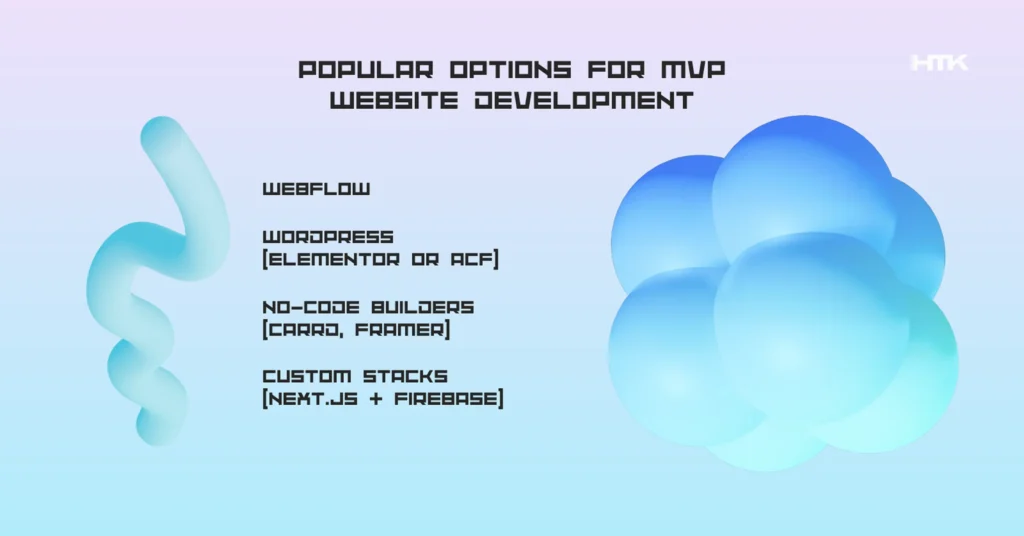
Popular options for MVP website development:
- Webflow – Ideal for visually polished sites that need to go live fast. With its built-in CMS, visual editor, and reliable hosting, it’s perfect for landing pages and early SaaS websites. If you’re working with an external team, a webflow white label setup allows you to keep full branding control without building it in-house.
- WordPress (Elementor or ACF) – Best for content-heavy projects. It’s flexible, widely supported, and great for structured content. For MVPs where scalability matters, wordpress outsourcing helps launch fast while keeping editing easy for your team later on.
- No-code builders (Carrd, Framer) – Work well for ultra-light MVPs, especially when you just need a form, short pitch, and basic validation.
- Custom stacks (Next.js + Firebase) – Worth considering when your MVP has login systems, real-time data, or logic-heavy features. You can also outsource laravel development to build scalable backends with user roles, dashboards, or APIs from the ground up.
No matter which stack you choose, the key is to align it with your MVP’s goal—not your dream feature list. Build lean, but make sure your tech won’t hold you back when it’s time to scale.
How Much Does MVP Website Development Cost?
When planning your MVP website, cost is always a factor—but it shouldn’t be the blocker. Instead of focusing on fixed price tags, it’s more useful to think in terms of scope, timeline, and platform flexibility.
Here’s a breakdown of typical approaches based on the level of complexity and purpose:
- No-Code Builders (Carrd, Framer)
Fast and lean. Great for landing pages, waitlists, and basic validation. Ideal when you need something up in a day or two without technical overhead. - Visual CMS (Webflow, WordPress)
A strong middle ground for most startups. Supports blogs, marketing pages, CTAs, and light integrations. Works especially well when paired with wordpress outsourcing or webflow white labe teams who already have the setup dialed in. - Custom Development (Laravel, Next.js, etc.)
Required when your MVP includes logic-heavy features like user accounts, dashboards, or dynamic content. In this case, it’s smart to outsource laravel development to an experienced backend team that can build and scale your infrastructure correctly from day one.
Regardless of which path you choose, the most cost-effective MVP websites are the ones with a clear goal, simple structure, and realistic expectations.
You don’t need to launch everything. You need to launch the right thing first.
Mistakes to Avoid When Creating an MVP Website

Launching fast is good. But launching without purpose? That’s where many MVP websites go off track. A minimum viable product isn’t just about shipping something quickly—it’s about learning with intention. Below are common mistakes that drain time, budget, and user trust.
Top MVP website pitfalls to avoid:
- Trying to look like a Fortune 500 site. Spending weeks on animations and fancy design often distracts from what really matters—your value proposition and conversion goal.
- Lack of a clear call to action. If visitors don’t know what to do next—sign up, join a waitlist, schedule a demo—you’re wasting every click.
- Launching with zero analytics. Without tracking tools, you miss insights into user behavior, drop-offs, and engagement—data essential for iteration.
- Overloading with features. The “more is better” mindset is dangerous at the MVP stage. Extra forms, filters, pages, or dashboards add friction, not value.
- Building without a goal. A site without defined success metrics (leads, signups, validation) becomes a vanity project instead of a learning tool.
Building a minimum viable product means embracing clarity and restraint. Your first website is not your final one—it’s your testing ground. Launch small, learn fast, and evolve with purpose.
Real-World MVP Website Examples
To better understand what MVP website development looks like in practice, here are real-world examples that reflect different startup needs. From SaaS launches to marketplace validations, these use cases show how lean sites can deliver results fast—without overbuilding.
SaaS waitlist landing page (Webflow)
A solo founder wanted to validate demand for a new B2B tool. We designed a single-page site featuring the product value proposition, key benefits, a short demo preview, and a waitlist signup form. Built on Webflow in 3 days, the site helped attract over 300 early subscribers in the first month.
To speed things up, the client chose a webflow white label approach—our team handled everything from layout to content population, and the result was delivered under the client’s brand.
Marketplace MVP (WordPress)
A niche marketplace startup needed to validate category interest and seller-side onboarding. We used WordPress with ACF to build a 5-page site: Home, Categories, Submit a Product, About, and Contact. No real transactions—just a form to express interest.
This quick setup allowed the founders to gather feedback from both buyers and vendors while keeping dev costs low. It also demonstrated how wordpress outsourcing can deliver scalable MVPs without delay.
B2B mini-site with early access (Custom + integrations)
A startup in the logistics space wanted to present their early product to investors and build a targeted email list. We built a custom one-pager using Next.js + Firebase, featuring an explainer section, testimonials, and an “Apply for early access” form.
The key difference was integrating Airtable + Tally to manage form data and run email outreach campaigns with Zapier. This gave them a no-code backend to validate user interest and build momentum without full product readiness.
MVP for eCommerce using Shopify
In eCommerce, speed to market is everything. For a client testing a DTC skincare brand, we created a one-product Shopify store with product images, copy, a Stripe-integrated checkout, and an email opt-in.
Instead of hiring an in-house developer, they chose to outsource shopify developer support to launch fast. Within days, they were able to run ads and test actual conversions—long before investing in inventory or a full site.
These examples prove that MVP websites don’t need to be large or complex. They need to be focused, purposeful, and designed to learn. Each case above was tailored to the startup’s goal—signups, validation, investor interest, or first sales—and built to evolve based on real-world feedback.
Conclusion: Think MVP, Build Smart
Launching a startup is all about learning fast and moving smart. Building a full-featured website right out of the gate might feel like progress, but in reality, it can slow you down. An MVP website allows you to stay lean, get real feedback, and focus your energy where it matters most—on your product and users.
The MVP-first approach gives your startup a real advantage. Instead of months of design and coding, you can have a working, conversion-ready site in days. You can validate your idea with real traffic, capture leads, or impress early investors. And when you’re ready to grow, your MVP website becomes the foundation you scale from.
A successful MVP website isn’t about bells and whistles—it’s about clarity, speed, and intention. Prioritize essential content, a clear CTA, and a structure that supports your business goal.
If you’re unsure where to start or want to avoid wasting time and money on a bloated build, let’s talk. Whether you need help with strategy, design, or development, we’ve helped startups across industries launch websites that work—quickly, affordably, and without sacrificing quality.
And remember: the right startup website design doesn’t just get you online. It sets the stage for everything that comes next.

Free website strategy session with a senior web expert
For over a decade, we’ve helped startups, SaaS companies, and service brands build high-performing websites that drive real results. Whether you’re planning a redesign, launching a new product, or need to scale your platform—our technical and UX expertise can help you move faster and smarter.
Ready to talk? Connect with a lead developer at Hutko.dev for a FREE 30-minute strategy call. Let’s map out your next step, together.
Book a Free Call
